9:17 AM
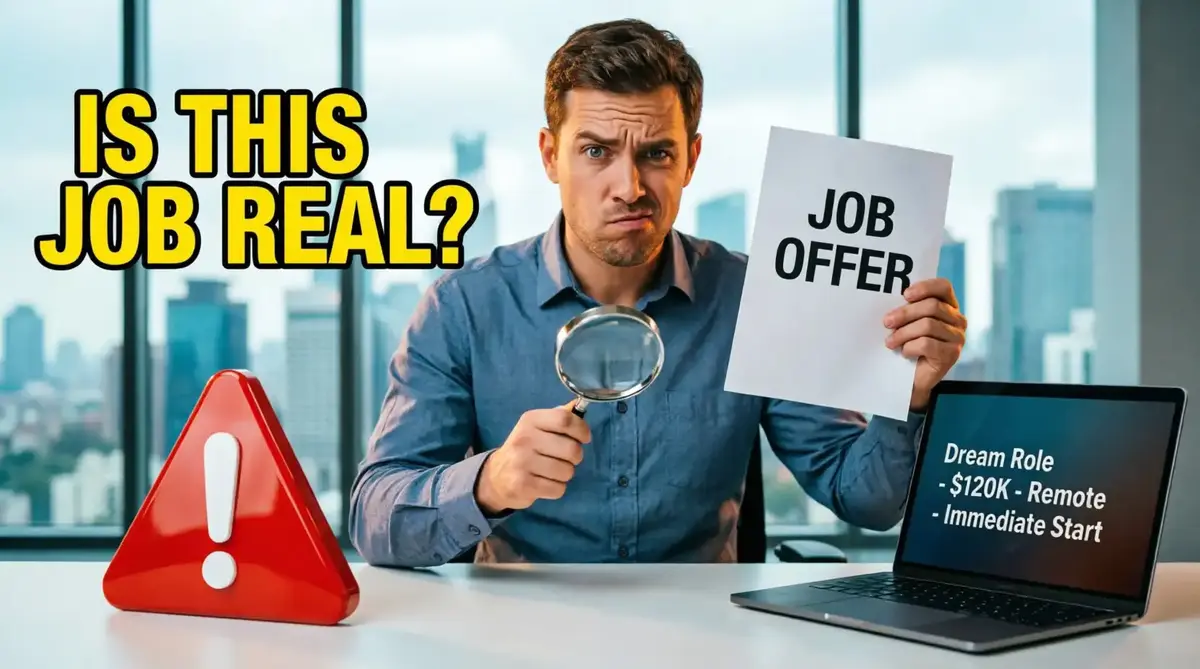
The job looked perfect.
$38 an hour. Fully remote. Flexible schedule. A familiar company name.
9:24 AM — A recruiter had already sent an interview link.
9:41 AM — There was a job offer sitting in the inbox.
9:47 AM — And at 9:47 AM, the recruiter asked for something that had nothing to do with the job.
A copy of the applicant's ID.
That was when the SafeCheck investigation started.
The strange thing about this case was that almost nothing looked obviously fake.
The company existed. The job description sounded professional. The recruiter had a convincing profile. Even the salary did not immediately look impossible.
There was just one problem: none of those things proved that the job offer was actually connected to the company.
And that is the question we want to answer here.
“Does this job look real?” is the wrong first question.
The better question is: Can I verify that it is real?
Never treat a professional-looking job offer as proof of legitimacy. A logo can be copied. A profile can be impersonated. A job description can be rewritten. Verification has to happen independently.
The First Clue Was Not a Red Flag
When people hear the words “job scam,” they often imagine something obvious: an outrageous salary, terrible spelling, or a message that looks like it was written in five seconds.
Those scams exist.
But the more difficult cases are quieter.
The offer looks reasonable. The conversation feels normal. You may even be excited because you have finally found a position that matches your experience.
That excitement is exactly when you need to slow down.
Instead of asking whether the recruiter sounds convincing, start building a chain of evidence.
A legitimate job should survive independent verification.
Company → Job → Recruiter → Contact → Hiring Process
The more links you can independently confirm, the stronger the case.
The SafeCheck Verification Test
You do not need to investigate everything about an employer. You need to investigate the parts of the offer that are supposed to connect you to that employer.
What Looks Real vs. What Needs Verification
Here is the shortcut we use when an offer looks convincing at first glance.
| What You See | What You Still Need to Verify |
|---|---|
| A real company name | Is the exact position connected to the real company? |
| A professional recruiter | Does the person actually represent that employer? |
| A company-style email | Does the domain match independently verified company information? |
| A polished job description | Are the duties specific and believable? |
| A fast interview | Does the hiring process make sense for this role? |
| An attractive salary | Does the compensation make sense for the position and experience required? |
The Question That Changed the Investigation
At this point, the offer still looked good.
So we asked the question that changed the entire investigation:
“What does the employer need from me right now—and why?”
That question is simple, but it forces you to look at the timing of every request.
An employer may legitimately need information during a hiring process. But if someone wants sensitive information before the employment relationship has been properly established, slow down.
And if the person asks you to pay money in order to obtain the job, treat that as a major warning sign.
Never let the excitement of receiving an offer pressure you into sending money, sensitive information, or documents before you understand exactly who is requesting them and why.
🔎 Check This Job with SafeCheck
Real Company. Fake Job.
This is one of the most important ideas to remember.
You search the company name.
You find a legitimate website.
You see real employees.
Everything seems fine.
Then you conclude: “The company is real, so the job must be real.”
That conclusion is too fast.
A real company can be used as the identity behind a fake opportunity. The company itself may have nothing to do with the person who contacted you.
Real company ≠ Real job offer.
The company, position, recruiter, email, and hiring process all need to connect.
Don't Let Urgency Do the Thinking
One of the easiest ways to stop an investigation is to make the applicant feel rushed.
“Send this today.”
“We only have one position left.”
“Complete this now so we can finalize your hiring.”
Maybe the opportunity really is time-sensitive. But urgency should never replace verification.
If an offer is legitimate, taking a few minutes to confirm who you are dealing with should not feel like an unreasonable request.
- Can I find the company independently?
- Can I verify the exact position?
- Can I independently confirm the recruiter?
- Does the email address make sense?
- Does the job description clearly explain the work?
- Does the hiring process make sense?
- Have they asked for money or sensitive information too early?
When You Want to Go Deeper
This article is intentionally focused on one thing: verifying a job before you trust it.
But remote job scams can become much more elaborate than a suspicious listing. Sometimes the scammer builds an entire hiring experience around the victim.
Recommended Reading: The Remote Job Trap
If you are actively searching for remote work, our full SafeCheck investigation goes deeper into how convincing remote-job scams are constructed and how victims can be drawn further into the process.
It is a paid guide, so it is not required to use the verification process in this article. But if remote work is part of your job search, it is a useful next layer of protection.
Before You Say Yes
Let's go back to the offer from the beginning.
The company was real.
The logo was real.
The recruiter looked professional.
The job description sounded convincing.
But when we tried to connect the offer back to the real employer, the evidence stopped lining up.
And that changed everything.
The most dangerous job scams do not always look fake.
They look familiar.
That is why the safest question is not: “Does this job look legitimate?”
Ask instead: “Can I prove that it is?”
If you cannot independently verify the company, the job, the recruiter, and the communication, do not rush.
Pause. Investigate. Then decide.
SafeCheck is designed to help users identify potential warning signs and make more informed decisions. For important employment decisions, always verify information directly with the employer using independently obtained contact information.